Button Template
Makes a message bot send a button template message.
You can use the button to add the postback parameter to a message, which then the server can receive as a callback. For more information, see Receive Messages (Callback).
A message to send can be written in multiple languages. Then, it will be displayed in the language that matches the client device's language settings.
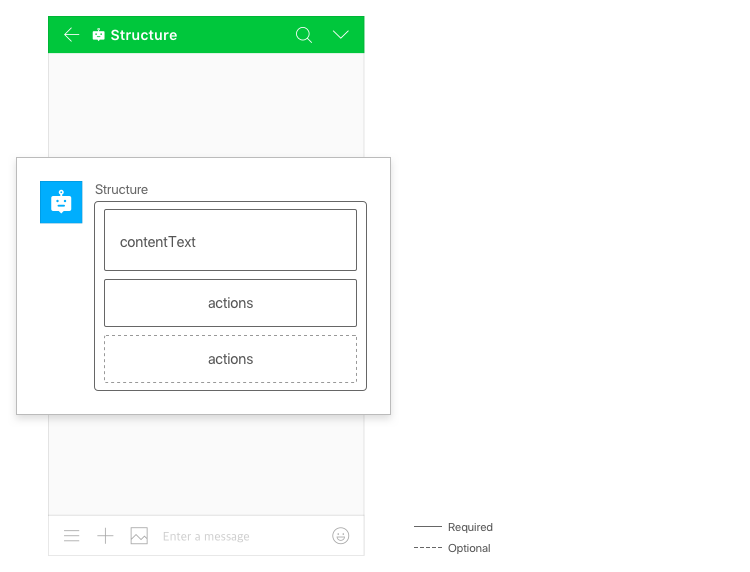
The following figure shows the button template structure.
Note
- A button template can have up to 10 buttons.
Request content {#button-request}
| Parameter | Type | Required | Description |
|---|---|---|---|
| type | string | Y | Set this parameter to "button_template". |
| contentText | string | Y | Body content |
| i18nContentTexts[] | array | N | List of multilingual body texts |
| i18nContentTexts[].language | string | Y | Language code • ko_KR • ja_JP • zh_CN • zh_TW • en_US |
| i18nContentTexts[].contentText | string | Y | Body text in the language Maximum length: 1,000 characters |
| actions | array<Action Object> | Y | Buttons to be used in the button template |
Request example {#button-request-example}
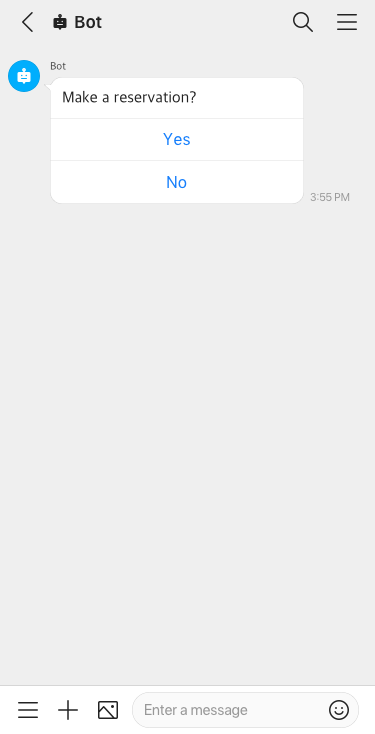
{ "content": { "type": "button_template", "contentText": "What do you want?", "actions": [{ "type": "uri", "label": "WorksMobile Homepage", "uri": "https://line.worksmobile.com" }, { "type": "message", "label": "FAQ", "postback": "ButtonTemplate_FAQ" }] }}