SAML 2.0 Based SSO
This page describes how Security Assertion Markup Language (SAML) 2.0 based SSO works and how to implement it.
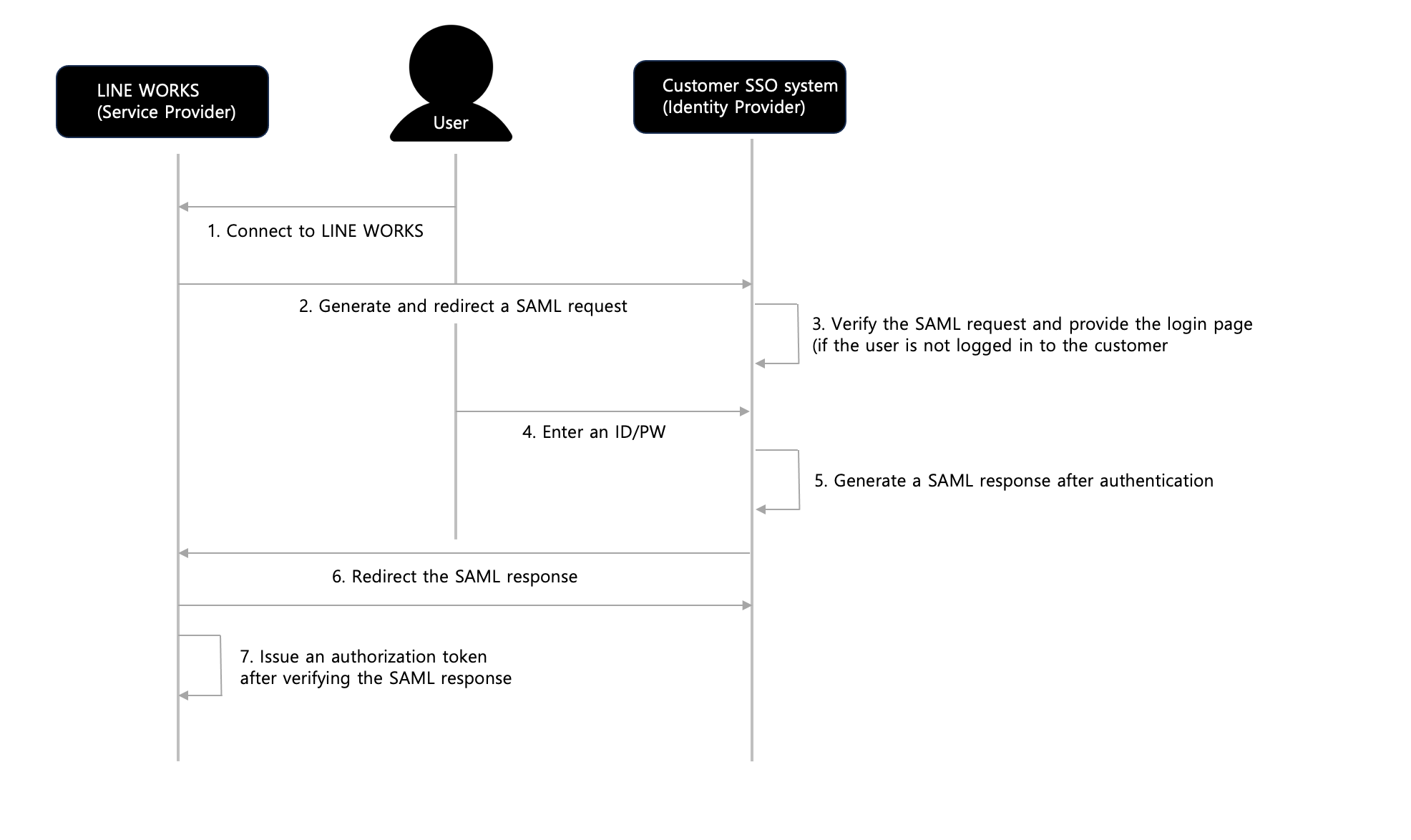
Figure SAML 2.0 based SSO between LINE WORKS and the customer
Connect to LINE WORKS
The user opens the LINE WORKS web page in the web browser or run the LINE WORKS app or Drive Explorer to use the LINE WORKS services.Generate and redirect a SAML request
If the user is not logged in to LINE WORKS, LINE WORKS generates a SAML request and passes it to the customer SSO system.Verify the SAML request and provide the login page (if the user is not logged in to the customer).
After verifying the SAML request, if the user is not logged in to the customer system, the customer provides its own login page to the user.Enter an ID/PW
The user enters the ID and password to log in to the system.Generate a SAML response after authentication
After authenticating the user with the ID and password, the customer generates a SAML response.
If the user is already logged in to the customer system, the customer generates a SAML response without providing the login page.
The SAML response must be digitally signed with the certificate that is registered in LINE WORKS.Redirect the SAML response
The customer SSO system redirects the SAML response to the ACS URL in the SAML request sent from LINE WORKS.Issue an authorization token after verifying the SAML response
After verifying the SAML response with the certificate previously registered by the customer to check the user information, LINE WORKS issues an authorization token for LINE WORKS.
SAML 2.0 based API authentication {#saml-api-auth}
IMAP/CalDAV authentication of LINE WORKS is partially based on SAML 2.0.
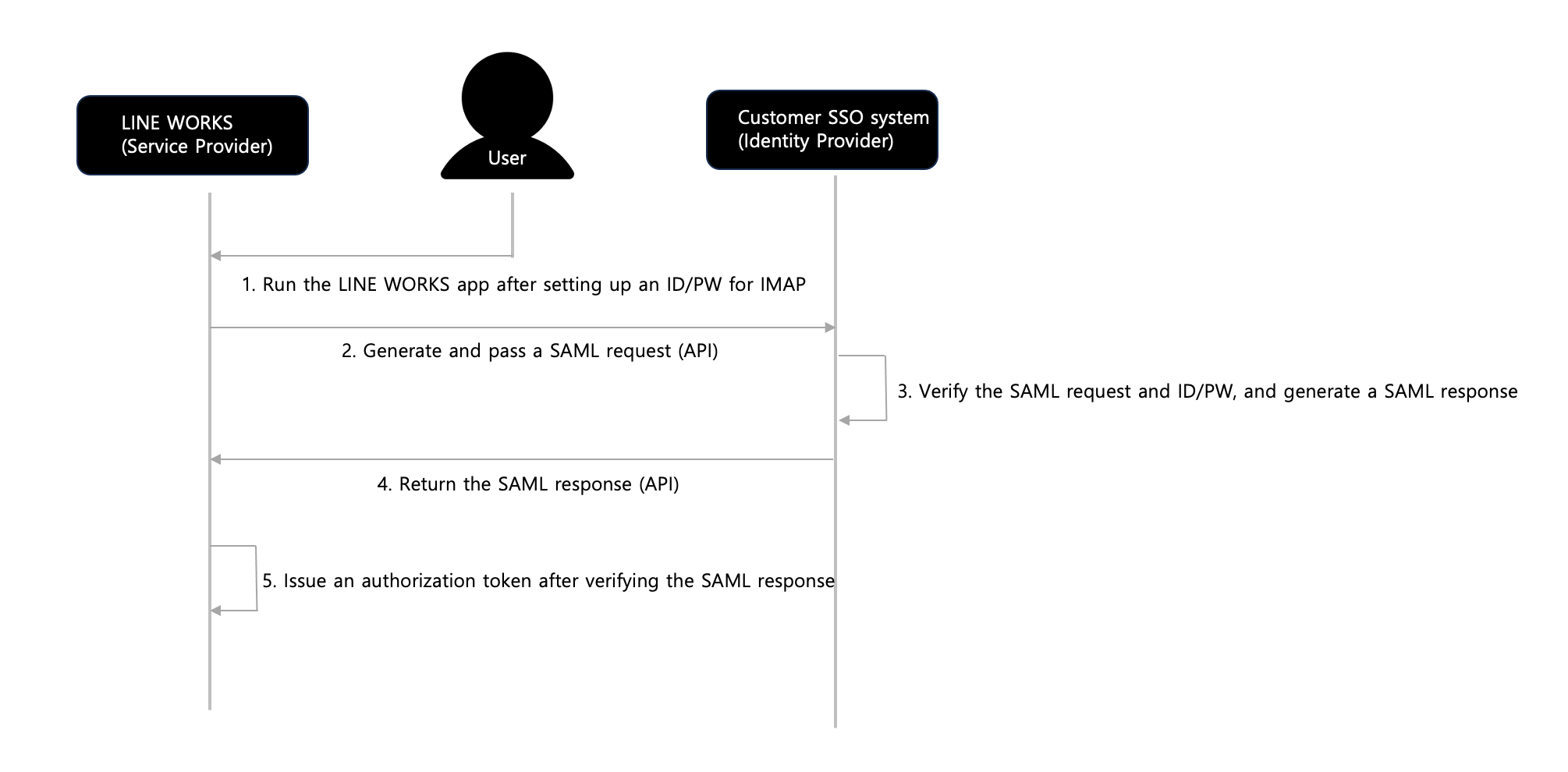 Figure SAML 2.0 based API authentication
Run the LINE WORKS app after setting up an ID/PW for IMAP
The user runs the LINE WORKS app after setting up an ID and password for LINE WORKS, using Outlook, native apps, etc.Generate and pass a SAML request (API)
LINE WORKS passes a SAML request with the user's ID and password to the customer SSO system. All network connections must be secured with SSL.Verify the SAML request and ID/PW, and generate a SAML response
The customer SSO system checks if the SAML request is valid and processes authentication with the received ID/password. The customer SSO system generates a SAML response if the authentication is successful and returns an error code if it fails. The SAML response must be digitally signed with the certificate that is registered in LINE WORKS.Return the SAML response (API)
The customer SSO system returns the SAML response as a response to the API request in the step 2, not the ACS URL. It returns an error code if the authentication fails.Issue an authorization token after verifying the SAML response
After verifying the SAML response with the certificate previously registered by the customer to check the user information, LINE WORKS issues an authorization token for LINE WORKS.