Menus (Persistent and Rich Menus)
Menus are displayed at the bottom of a message room with a bot.
- Persistent menu: A menu where menu items are listed as buttons.
- Rich menu: A menu where you can customize menu items.
The following restrictions apply:
- The persistent menu that has been added is deleted if a rich menu is added.
- A persistent menu cannot be added to a bot with rich menus added. To register a persistent menu, all rich menus must be deleted.
- Menus are not available in a message room where two or more bots are present.
Persistent menu {#persistent-menu}
A persistent menu is a simple menu displaying a list of buttons for which actions are specified, at the bottom of a message room.
Structure {#persistentmenu-structure}
Each item added to a persistent menu is displayed as a button.
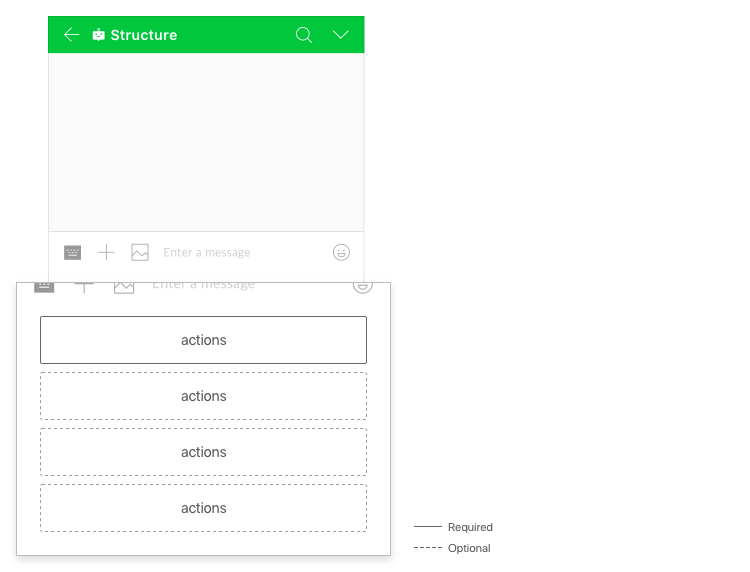
The following restrictions apply:
- You can add up to 4 buttons.
- A persistent menu is displayed as a drop-down list on desktop.
Set a persistent menu using the API {#persistentmenu-setting-by-api}
You can set a persistent menu using the Bot API.
- Use Add persistent menus to set a persistent menu.
- The persistent menu that has been added applies to all the members.
For more information about the API operations associated with persistent menus, see Bot API.
Rich menu {#richmenu}
A rich menu allows you to set actions in the image area. You can add up to 1,000 rich menus for a bot.
Structure {#richmenu-structure}
A rich menu enables you to specify actions by splitting one image into two or more areas. 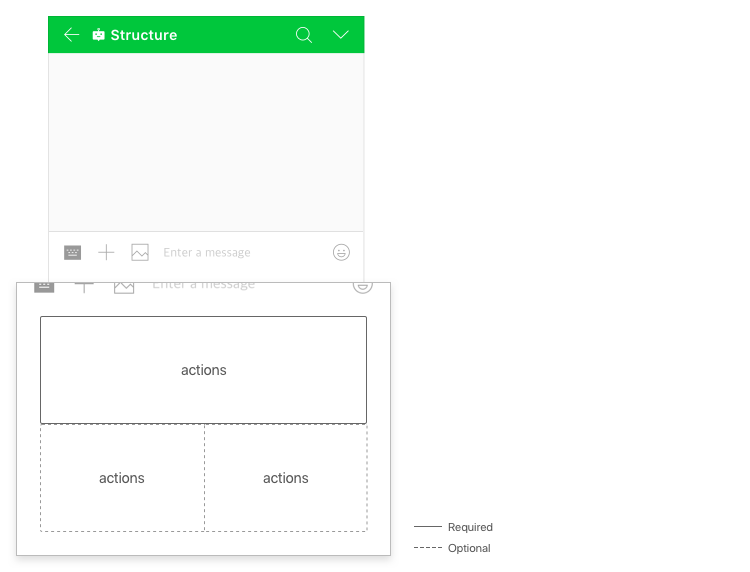
The image of a rich menu is displayed only in the mobile environment, while only the text in the label is displayed in the desktop environment.
Prepare an image {#richmenu-prepare-image}
Prepare an image to be used for a rich menu.
The following restrictions apply:
- Image format: JPEG or PNG
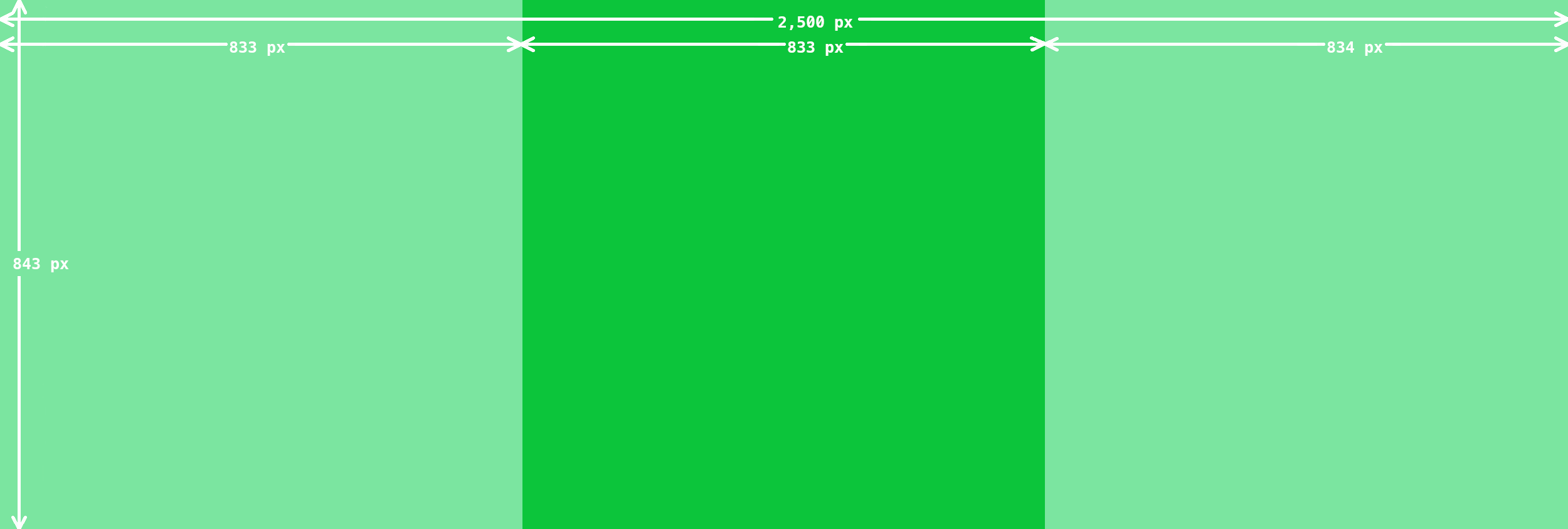
- Image size: 2500 x 1686 or 2500 x 843 px
- Maximum file size: 1 MB
Here are image samples of a rich menu:
- Size: 2500 × 1686 px

- Size: 2500 × 843 px
Set a rich menu using the API {#richmenu-setting-by-api}
You can set a rich menu using the Bot API.
Follow the instructions below to set a rich menu:
1. Upload an image {#richmenu-image-upload}
- Upload an image for a rich menu using Upload bot content.
- The
uploadUrlorfileIdreturned as a result of uploading an image is used to set a rich menu image.
2. Create a rich menu {#create-richmenu}
- Choose an action or area for a rich menu and use Create a rich menu to add a rich menu to a bot.
- Using the
richmenuIdthat is returned as a result of adding a rich menu, you can manage or apply the rich menu.
3. Set a rich menu image {#set-richmenu-image}
You can use Set a rich menu image to match the rich menu added in 2. Create a rich menu with the fileId of the image uploaded in 1. Upload an image.
4. Apply a rich menu {#apply-richmenu}
There are two types of applying a rich menu: apply to a specific user or apply to all as the default rich menu.
- Apply to a specific user: Apply a rich menu to a specific user using Set a custom rich menu.
- Apply to all as the default rich menu: Apply a rich menu as the default rich menu of a bot using Set the default rich menu or by setting
richmenuIdfordefaultRichmenuIdusing Update a bot or Update part of a bot.
A user-specific rich menu takes precedence over the default rich menu.
For more information about the API operations associated with rich menus, see Bot API.